
UNDER CONSTRUCTION
CHANGEO was developed to make it possible to test multiple
Refraction Technologies (Ref Tek) 130 digital acquisition
systems (DASs) at a time for bench testing. CHANGEO is mostly
used in the lab, but has gone to the field to support
programming and QC'ing units on experiments that used 100's of
these recorders.
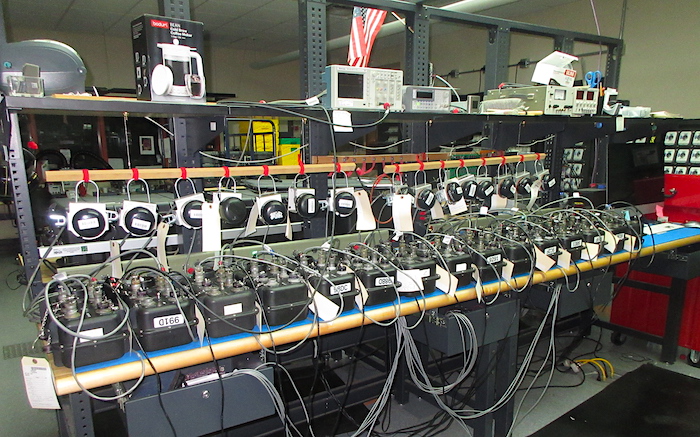
The instruments are run through testing every time they return from field experiments. Built-in tests are performed, responses to external signals are measured, and the units are programmed and run overnight to check for proper operation. One bench is dedicated for testing the RT130s. CHANGEO is run on an iMac.
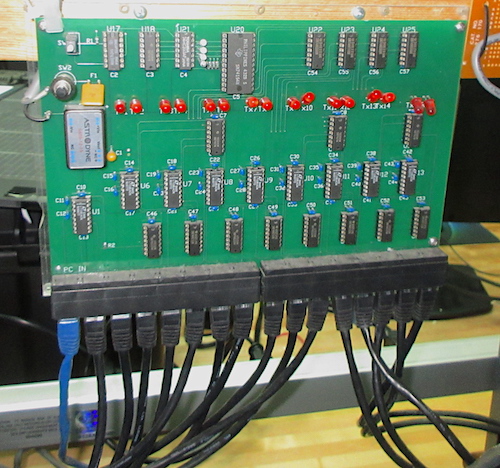
Communication between CHANGEO and up to 15 RT130s is handled
using the serial line controller "CHANGEO Board"
that was designed by me. It has a 4-bit counter connected to a
4 to 16 line decoder/demultiplexer. It is reset with the small
white button in the upper left corner, then CHANGEO starts
opening and closing the control computer's serial port when
the Enumerate button is clicked. Opening the port triggers the
counter to increment and one of the lines on the decoder goes
active. This enables a tri-state buffer of one port which is
connected to one DAS. The CHANGEO program performs a query to
determine which, if any, DAS is connected. Once determined the
serial port is closed and opened again which increments the
counter and activates the next serial port. This continues
until all of the connected units have been "found".
The last serial port opening enables all of the serial lines,
so the program can talk to all of the RT130s. This process
is called enumeration.
The Ethernet cables coming off the bottom of the board end in
9-pin Amphenol connectors that mate with the CONSOLE ports on
the RT130s. The cables are Ethernet, but communication with
the CONSOLE port is really using 56K baud RS-323 serial. There
is a USB to serial dongle between the bench iMac and the board
since nothing comes with DB-9 serial ports anymore.
On the few experiments when CHANGEO traveled to the field a
board mounted in an enclosure would be taken and connected to
a Windows laptop and 12VDC. 15 RT130s could then be programmed
and readied for deployment at a time. One experiment I was on
in eastern Oregon had over 100 RT130s.
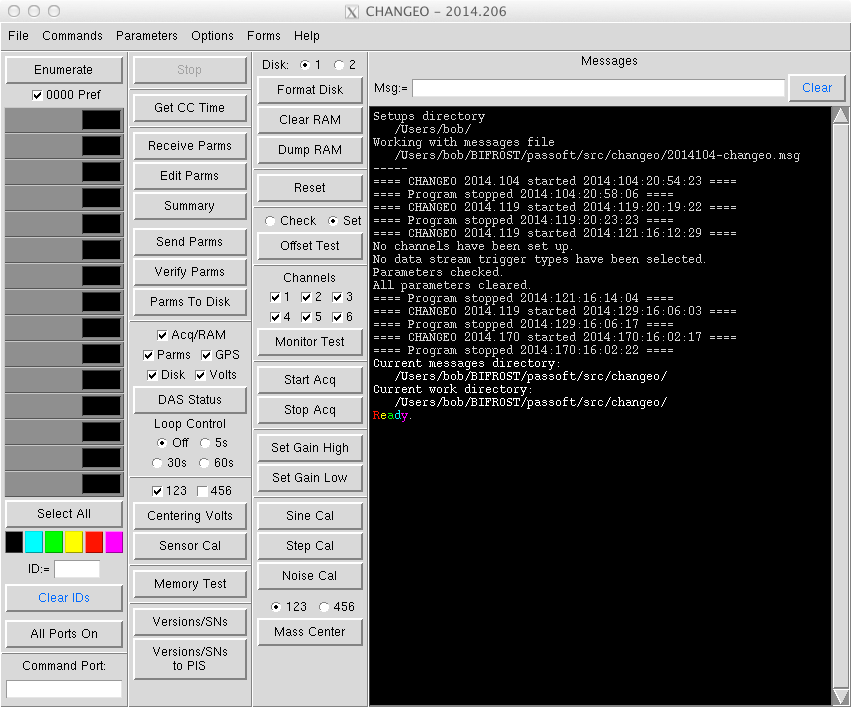
CHANGEO is written in Python using Tkinter for the GUI. The
only module required in addition to the 'standard stuff' is
pySerial for communication with the DASs. It will run on
Python 2 and 3, and has been used on Windows, Linux and macOS
machines. Originally it even ran on SunOS.
The interface is split into the enumeration and setup section,
a parameters section, the interactive controls and test
section, and the messages section. Basically all of the
actions and results of commands are listed in the messages
section and recorded in the messages file.
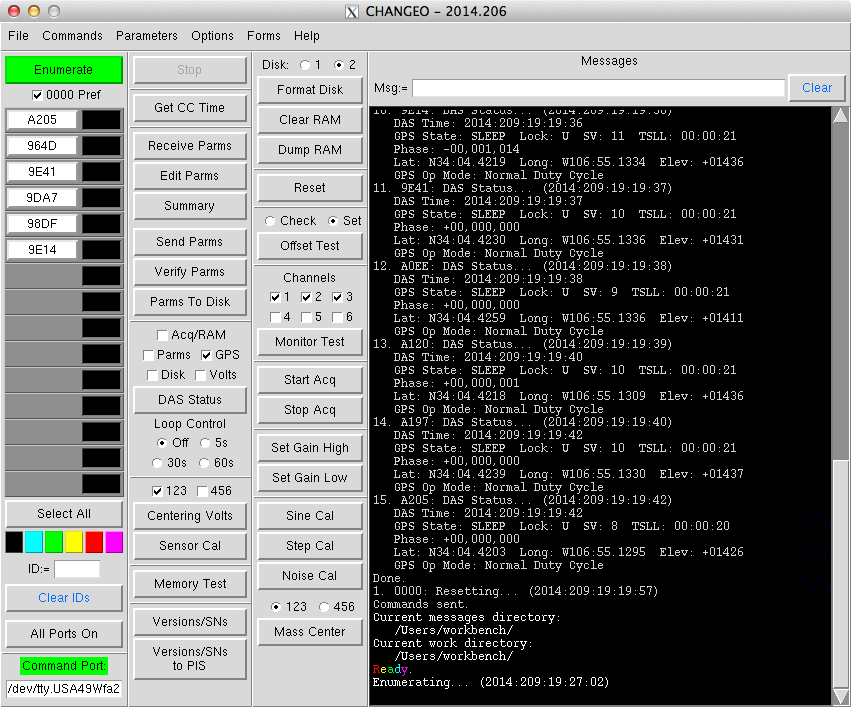
Above the program is in the middle of enumeration initiated by clicking the Enumerate button. As each port is opened and each connected DAS is found their serial numbers are shown in the list on the left. If no DAS is connected to a port then "0000" is placed in the slot. When enumeration is finished the list is rewritten in numerical order and any 0000 serial numbers are removed.
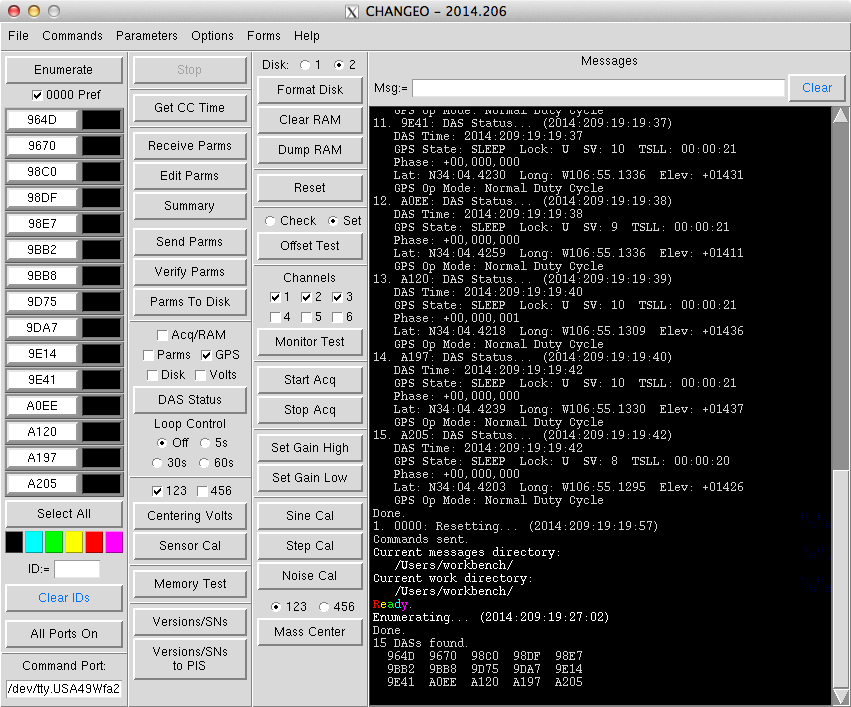
In this case all ports were connected to a DAS.
The areas with the RT130 serial numbers are buttons. If the
button background is white then executed commands will affect
that DAS. Selecting DASs in the DAS list is similar to
selecting files in Windows, clicking on one button will turn
all other buttons "off", clicking one and
shift-clicking another will select a range of buttons, and
control-clicking allows random ones to be selected.
When enumeration is finished the CHANGEO Board's job is
done. The Ref Tek command language allows all RT130s to hear
commands, but only the ones addressed by serial number to
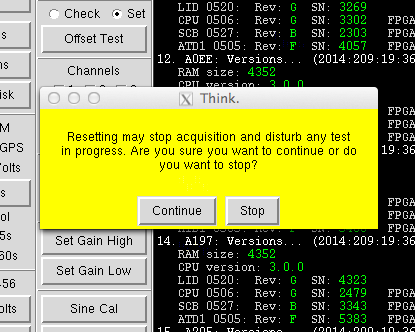
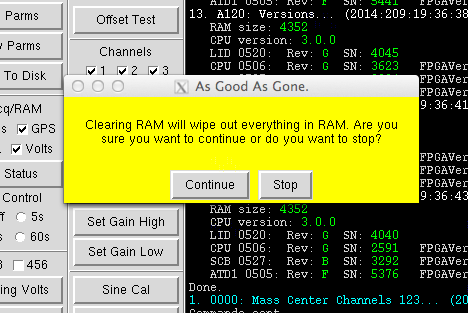
respond. If a command such as "clear RAM", for
example, is sent to the special DAS serial number
"0000" then all RT130s will respond. The 0000 Pref
check button controls this behavior. If it is selected sending
commands to serial number 0000 will be used where possible. If
it is not selected then all commands will be individually sent
to each enumerated DAS. Allowing 0000 to be used can be much
faster. Of course this only works if all of the enumerated
DASs have been selected. If any of them are not then 0000
will not be used, since the unselected one(s) will still be
listening.

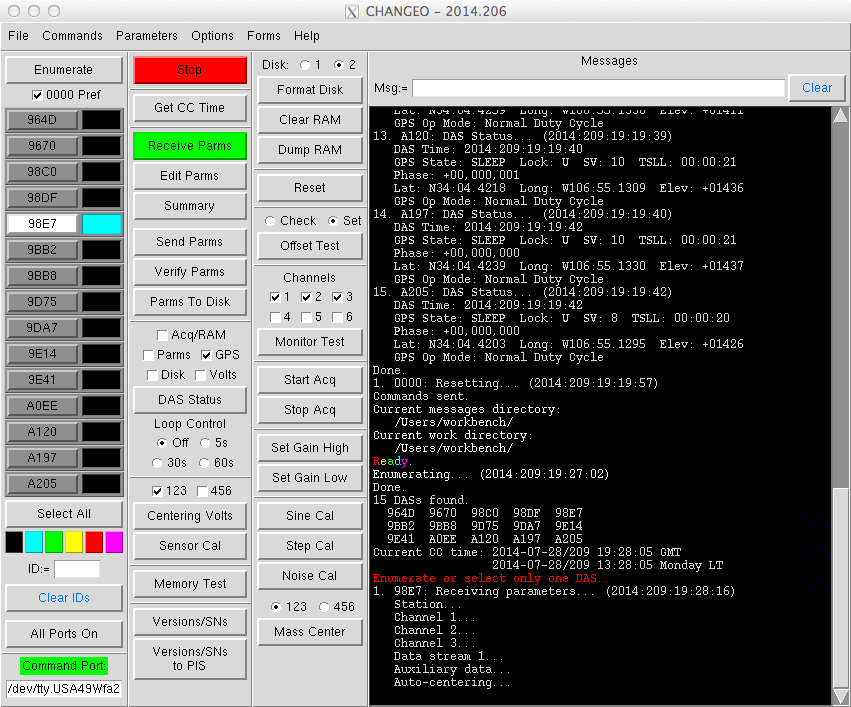
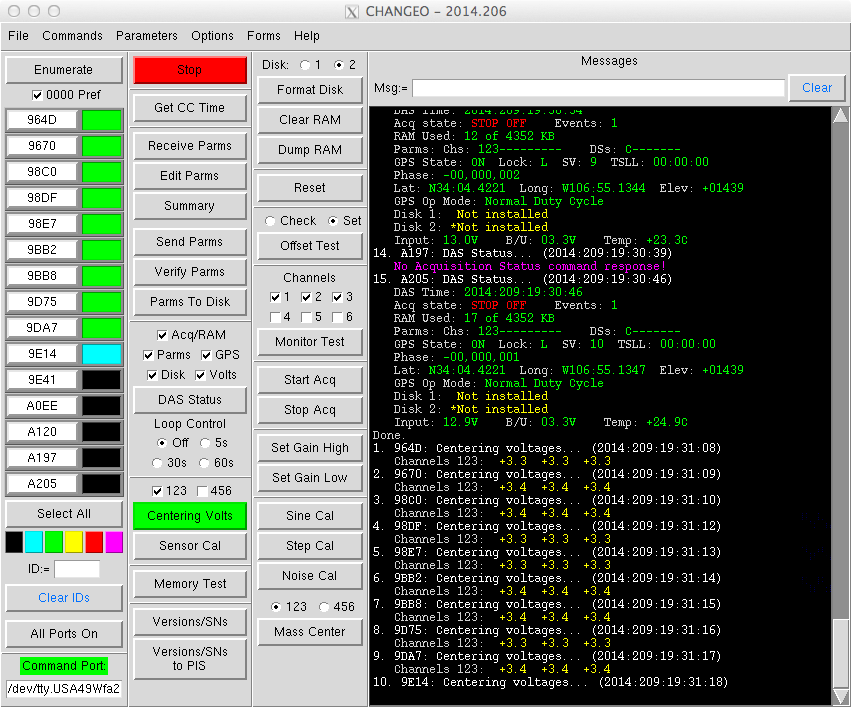
Above is the DAS Status command in action. This is one of the
commands that cannot be done using the serial number 0000
trick. Each DAS must be asked for its status in turn. Normally
a command button will be green while things are in progress
and the Stop button will be red. Cancelling a command is done
by clicking the Stop button. In the lower left corner the
Command Port label is lit up. This indicates that the serial
port or device (/dev/tty.USA49Wfa2) for communicating with the
DASs is open/on.
The program uses the usual color scheme for my programs. Light
white is used for just text. Bright white text is used to
indicate that there is (or was) going to be some action, or
just to highlight a section of information. The '1. 964D: DAS
Status...' line uses this. Good or OK things are green.
Questionable things are yellow. Bad things or out-of-range
values are red. Really bad things (something may be broken)
are magenta.
The colored status fields to the right of the DAS serial
number buttons give a general indication of how things went
while talking to each DAS. 964D was fine (green). The cyan
colored field indicates that 9670 is being worked on
(blue-collar labor stuff going on).
In this example above only DAS 98E7 is selected, so only that
RT130 will be asked for its parameters (Receive Parms
command). Messages like the red 'Enumerate...' message will
show up if you try to run a command like Receive Parms without
having any DAS selected.
The Get CC Time button (CC is for control computer) generated
the Current CC Time message.
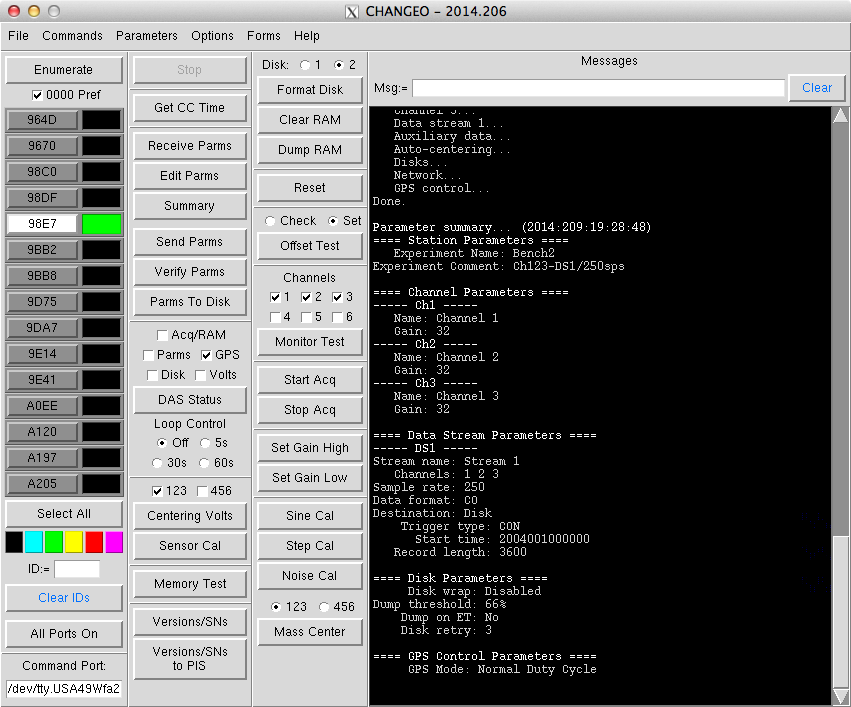
This is just the completion of the Receive Parms command.
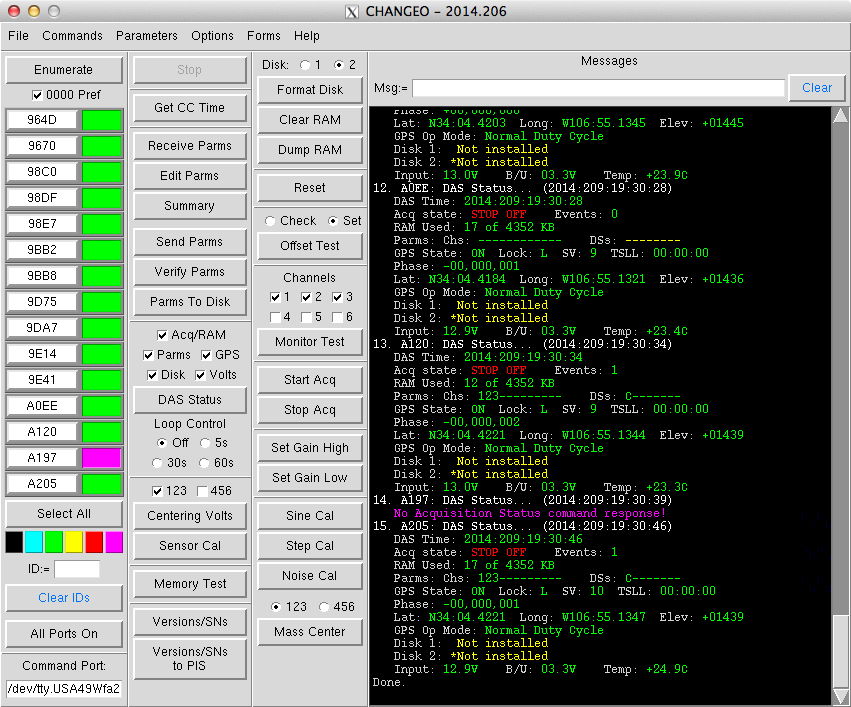
Above shows the magenta status indicator indicating that something went wrong with the DAS Status command for RT130 A197. In the messages the 'no command response' message means that A197 was there when the DASs were enumerated, but CHANGEO could not talk to the DAS when the status was requested. The message is magenta since this probably means a wire has broken or come loose, or the DAS has shutdown for some reason.
5
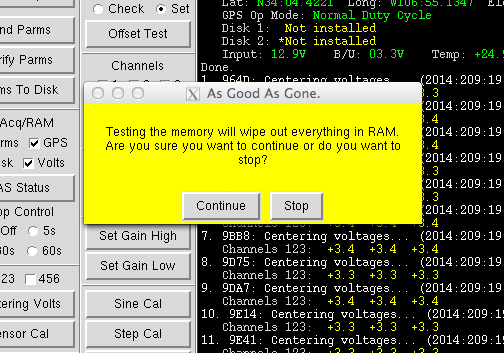
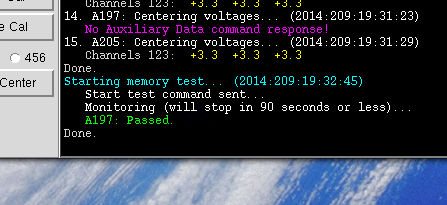
The Memory Test is run by the RT130s. When commanded they fill their internal RAM with all 1's and then reads all memory bytes. CHANGEO just sends the command to start the test and then waits for completion.
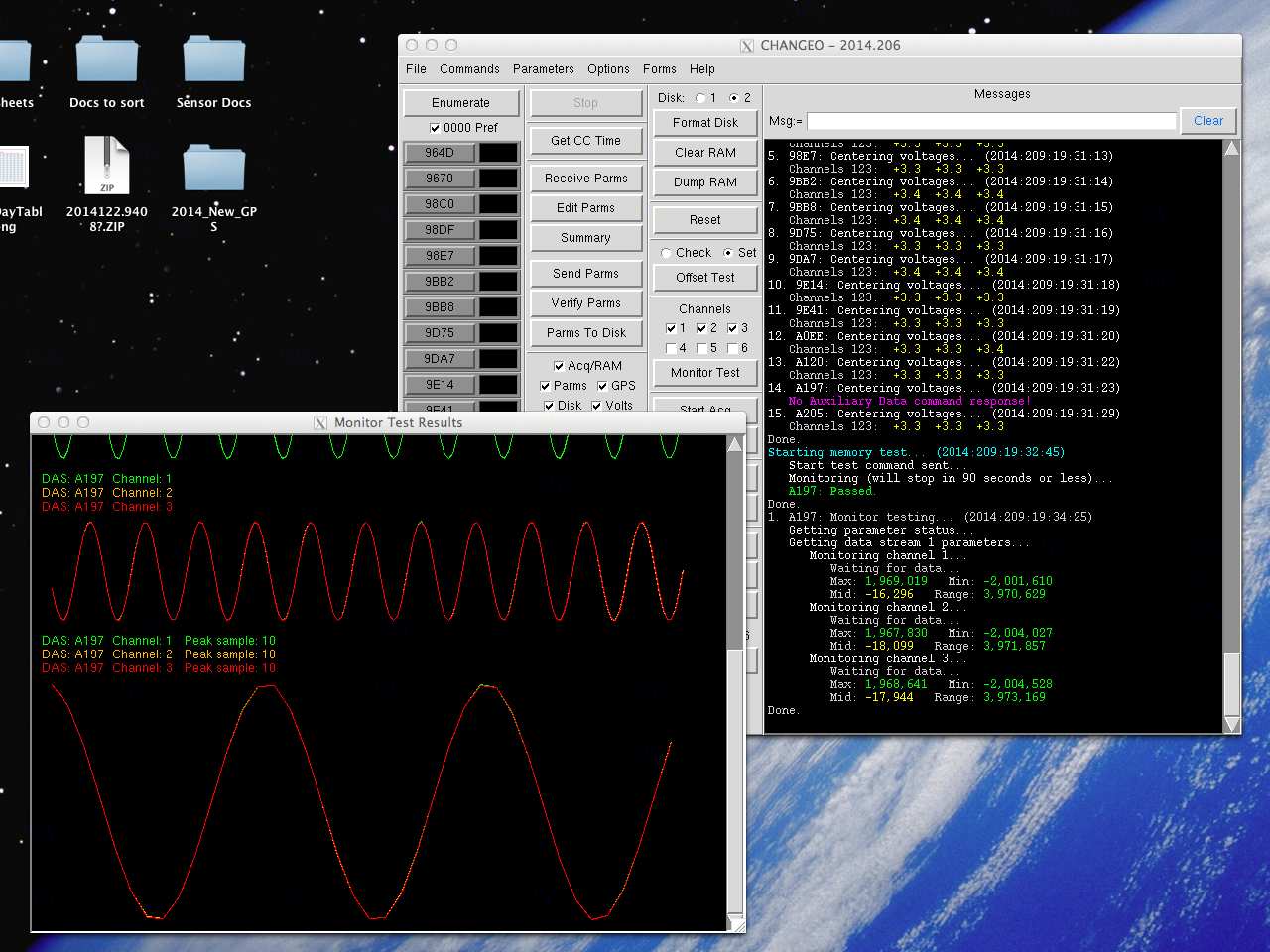
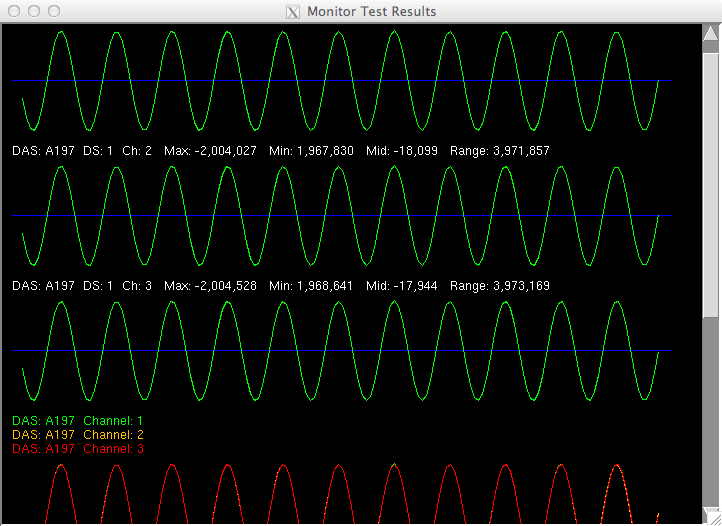
One of the bench tests is supplying a 200mV, 1.5Hz signal to the RT130 sensor inputs and using the built-in Monitor Test function to look at the waveform from all channels. The Monitor Test function displays each channel individually and then overlaid.
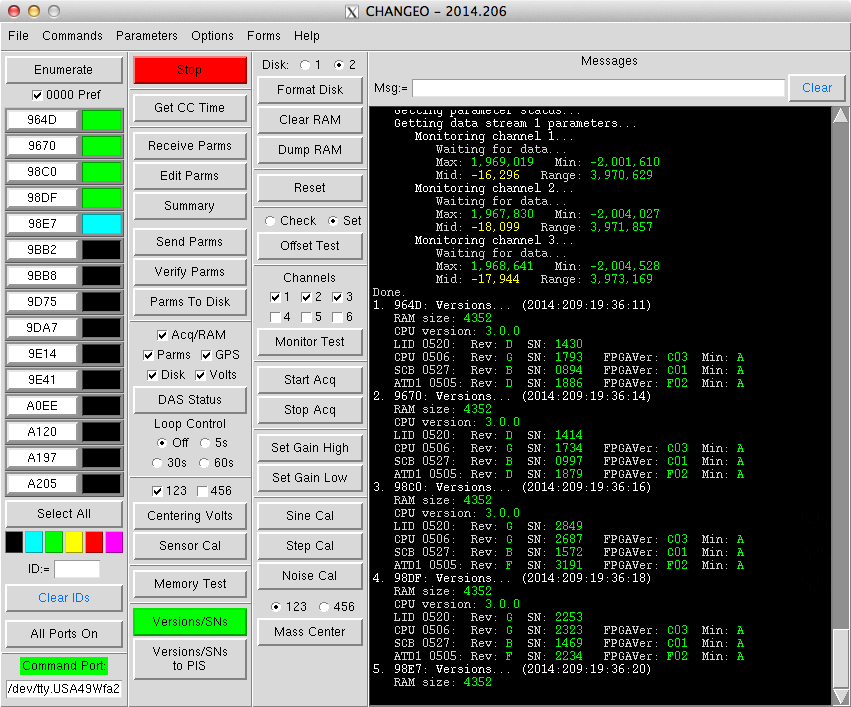
CHANGEO is able to read out all of the circuit board models, serial numbers and revisions. It is also able to send that information to the PASSCAL Inventory System (PIS) in the event that RT130s with certain boards/versions need to be located.
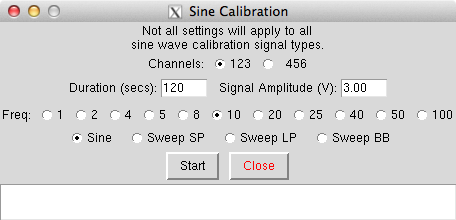
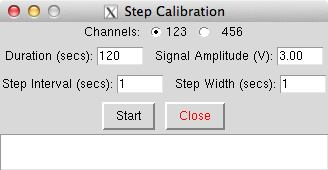
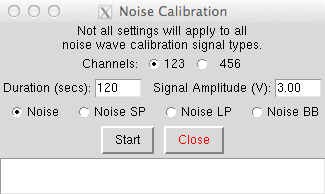
The sensor calibration functions above are used to control calibration signals that get sent to seismic sensors (STS2s, Guralp 3Ts, etc.). The response of the sensors is recorded like normal seismic data and can be offloaded and examined at a later time.
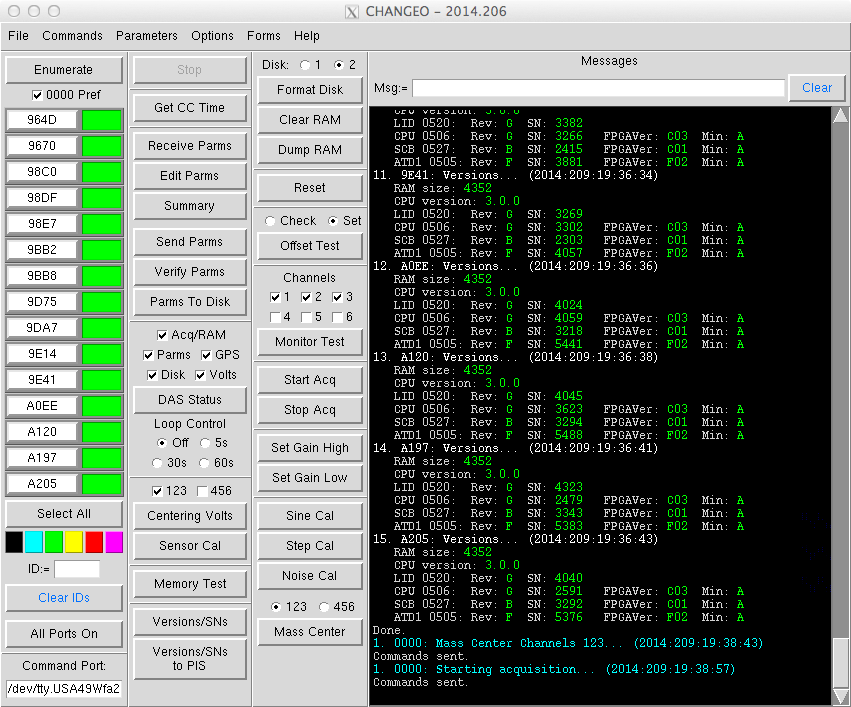
The Mass Center command just tells the selected RT130s to activate the sensor control line going to what would be a sensor in the field, to tell the sensor to center itself. Commands in CHANGEO which turn different lines on and off are usually shown to be working or not by using dongles that attach to the various ports on the RT130s. When a control line like the one for centering is activated a LED will light up to show that the function is actually happening. If the LED does not light up then there is a hardware problem.
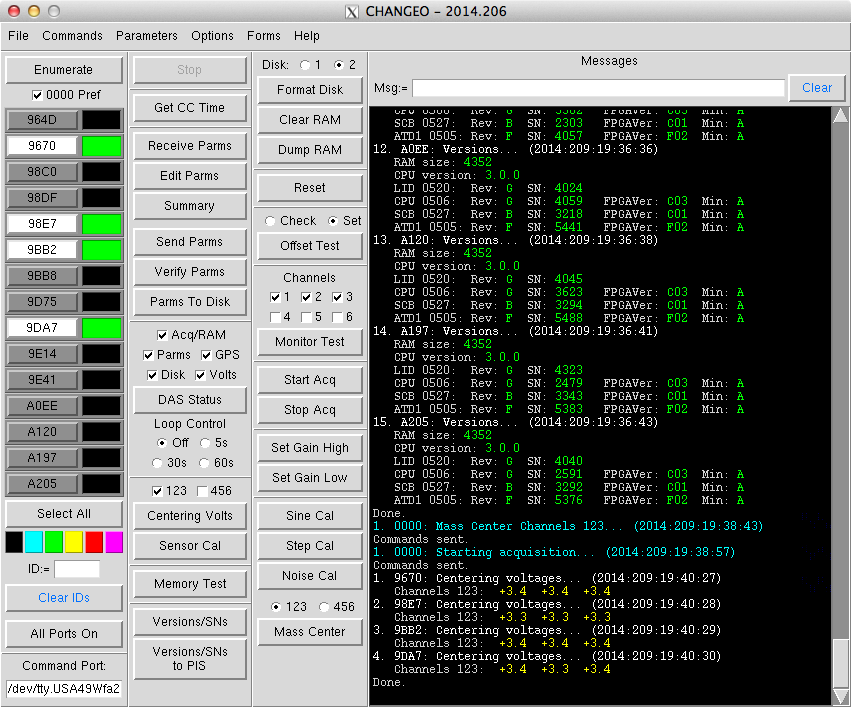
Above only four DASs were selected for the Centering Voltages command.
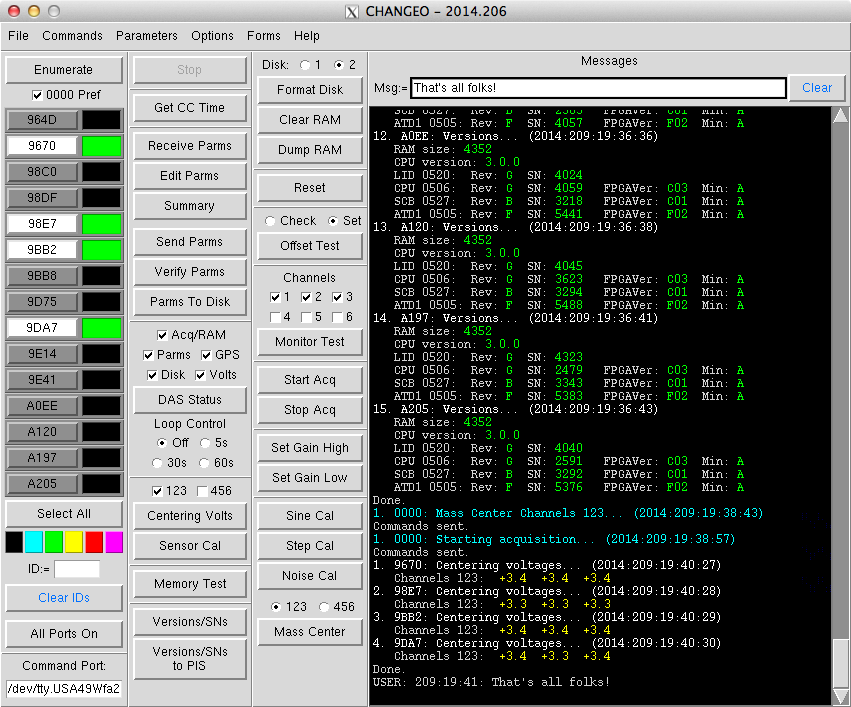
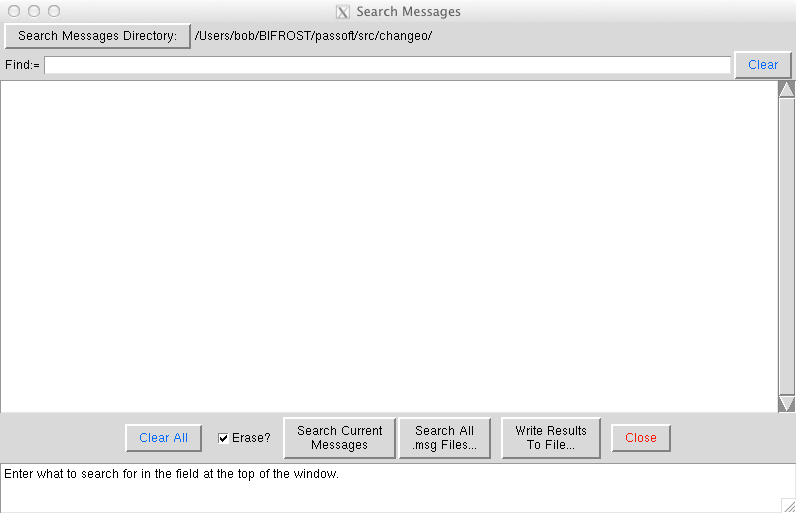
The entry field at the top of the Messages section was used for entering information into the 'official record' (the Messages) so that they could be extracted later. I used this function quite a bit in the program POCUS for the Texan recorders to make a note of recorders or other equipment that was misbehaving. This sometimes worked better than scribbling on and then losing pieces of paper with the notes.
17
19

21

The usual three-month calendar. The DOY radio button would
change the dates to day-of-year numbers (1-366). Moving the
mouse over a date would bring up a too tip showing both the
date and the day-of-year.
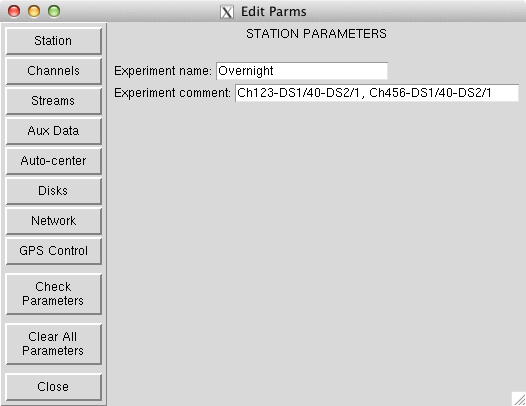
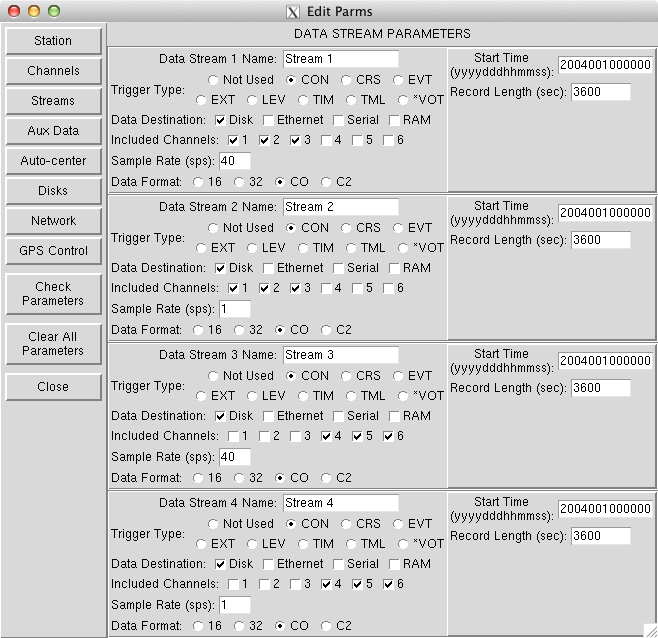
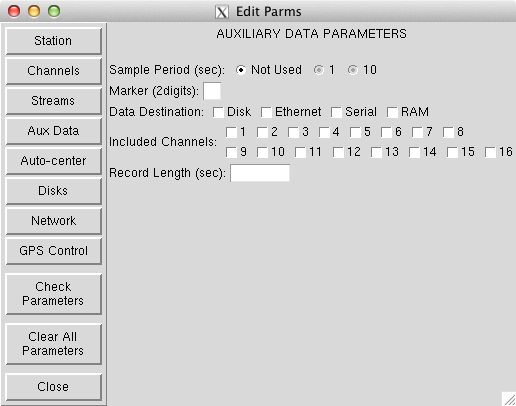
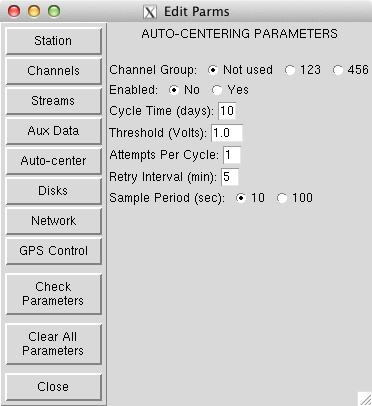
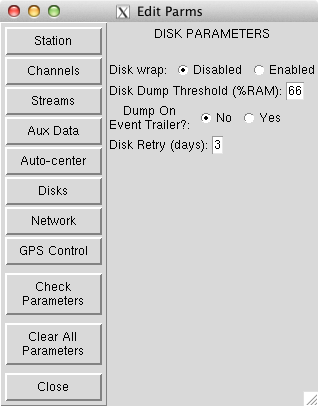
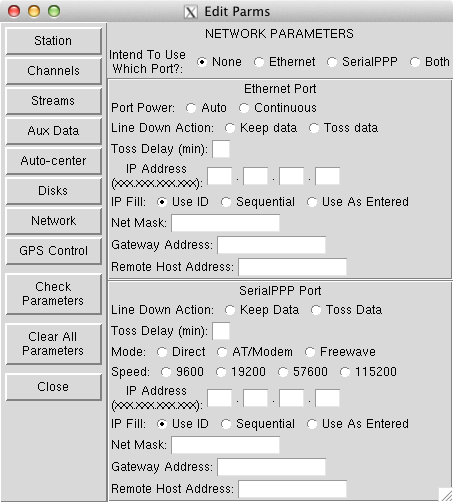
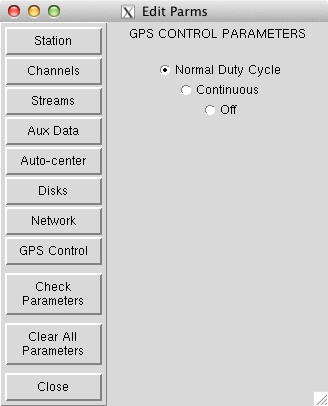
The parameter editor form, below, is sort of a 'tabbed' window
where the settings of each of the eight sections of RT130
parameters can be displayed by clicking on the Station through
GPS Control buttons on the left side. Each section displays
all of the parameter options that can be edited together.
&&&&&&& not done below here

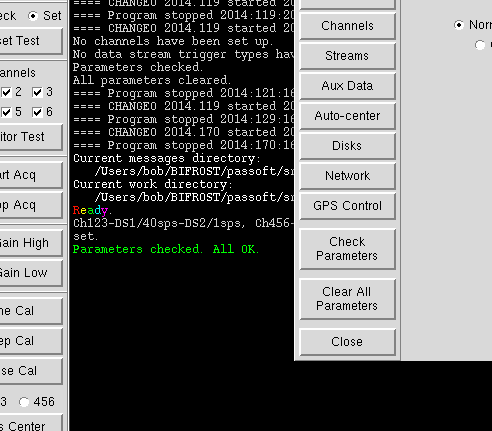
Check Parameters
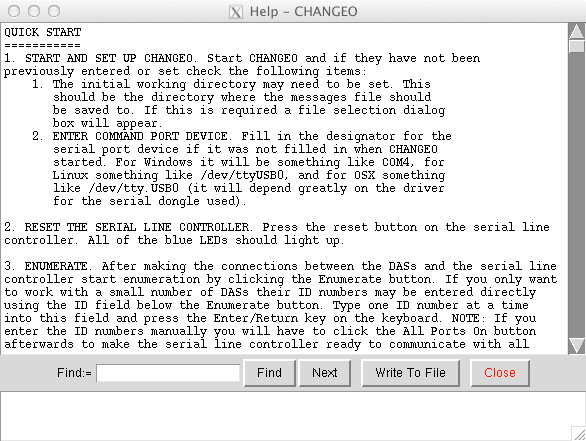
Your basic built-in help is available. Getting up and running is in there as well as a description and explanation for all buttons, menu commands, and functions of the program.
33
36
2022-11-29