
POCUS is used to operate the REF TEK (Refraction Technologies) 125 "Texan" seismic recorders in the lab during testing, and in the field during experiments. Extensive troubleshooting and data analysis tools are also in the program. This is just an overview of some of the program's forms and functions.
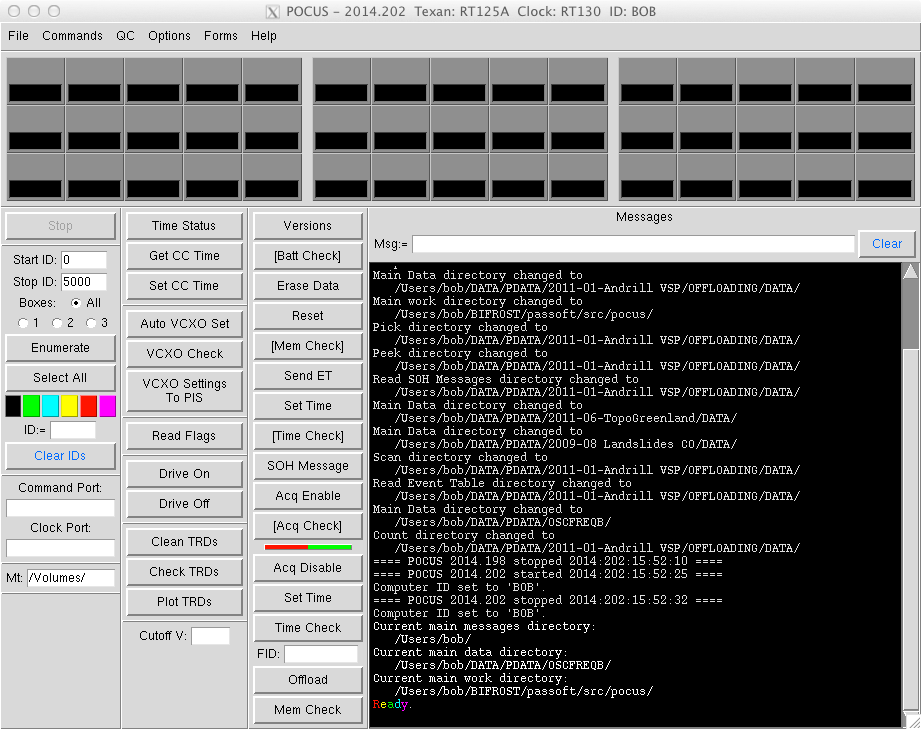
POCUS uses only Python and Tkinter to do its stuff. This allows the same program file (script) to be run on just about any system. The only additional Python modules needed are the pySerial module for communicating with the equipment on all operating systems, and the pyWin32 module on Windows operating systems. The program was started when the "new" RT125A Texans started arriving at PASSCAL, but the program was also made to support the older RT125 Texans and it ran on the "bridge" Windows computers that were used for that system.
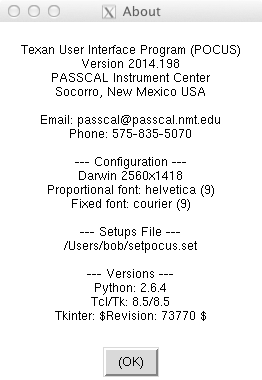
More than one station (laptop) can be set up per experiment depending on how many Texans the experiment will need. Each station can handle up to 45 Texans at a time. For an 800 Texan experiment, for example, there may be four or five stations set up to handle the programming and the data offloading. Each laptop has a designation or ID name. When the program is told the name of the laptop it is running on then the log files and information files will be uniquely named so all files can be gathered together at the end of the experiment from all of the stations.

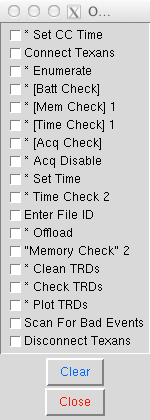
Working with the Texans begins with enumeration. After all of the equipment has been set up, and all of the Texans to be used have been connected to the hubs in the transcases the serial number range of the Texans should be determined and entered into the Start ID and Stop ID fields. These values can be set for each group of Texans, or they can be set to cover the whole range of serial numbers for the experiment. The values below cover all of the Texans ever made and it's fine.
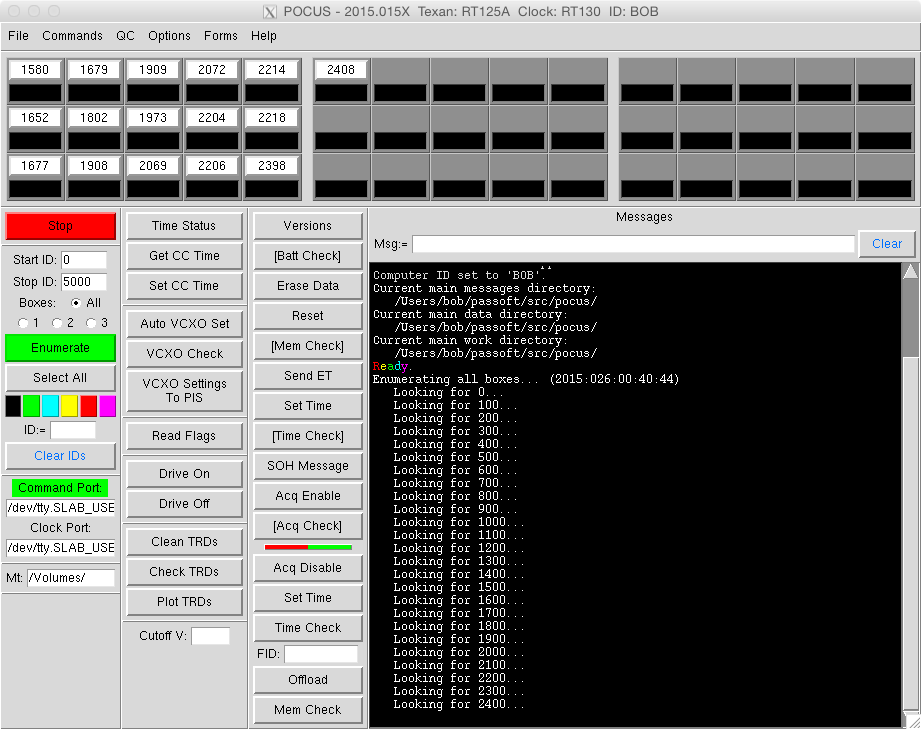
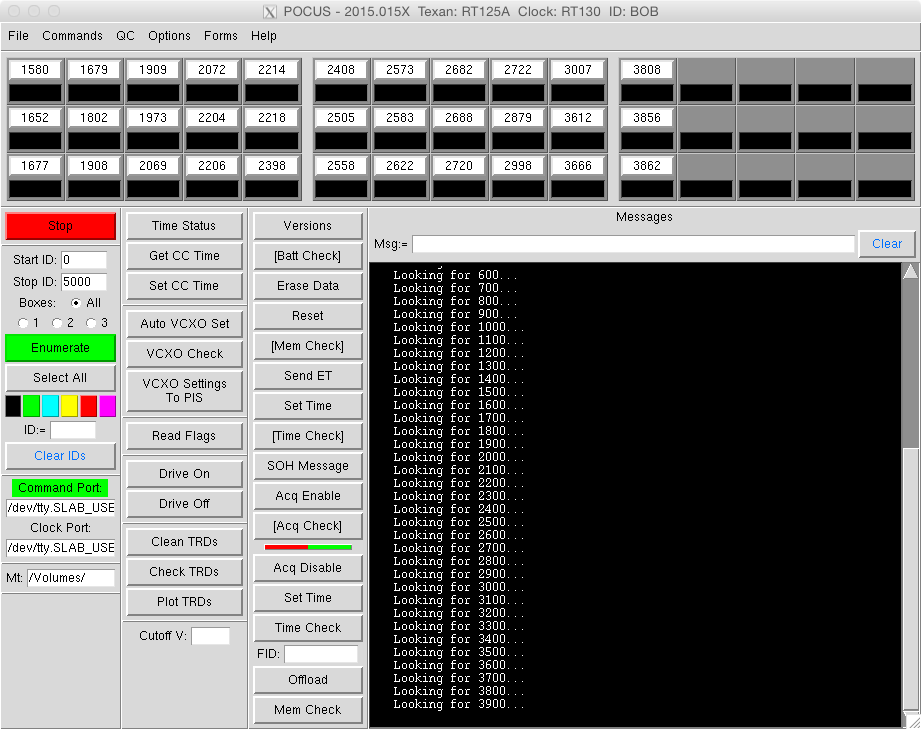
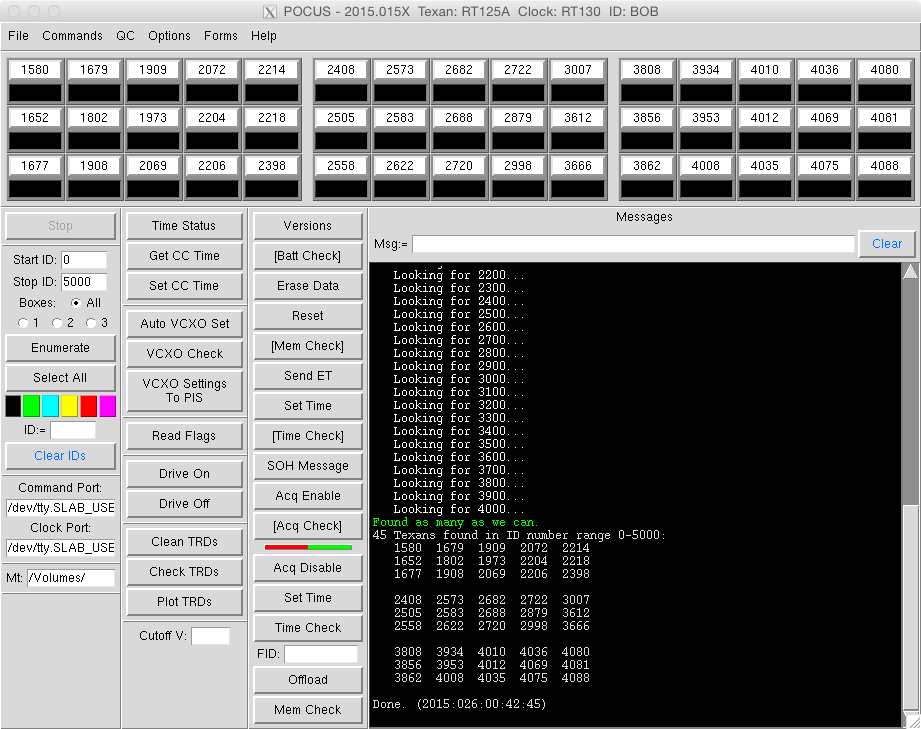
The operation continues until POCUS runs out of Texans or serial
numbers to find. If 45 Texans are connected, but only 44 are found,
then the hunt begins. The LED on top of the Texans may help indicate
which one didn't show up.
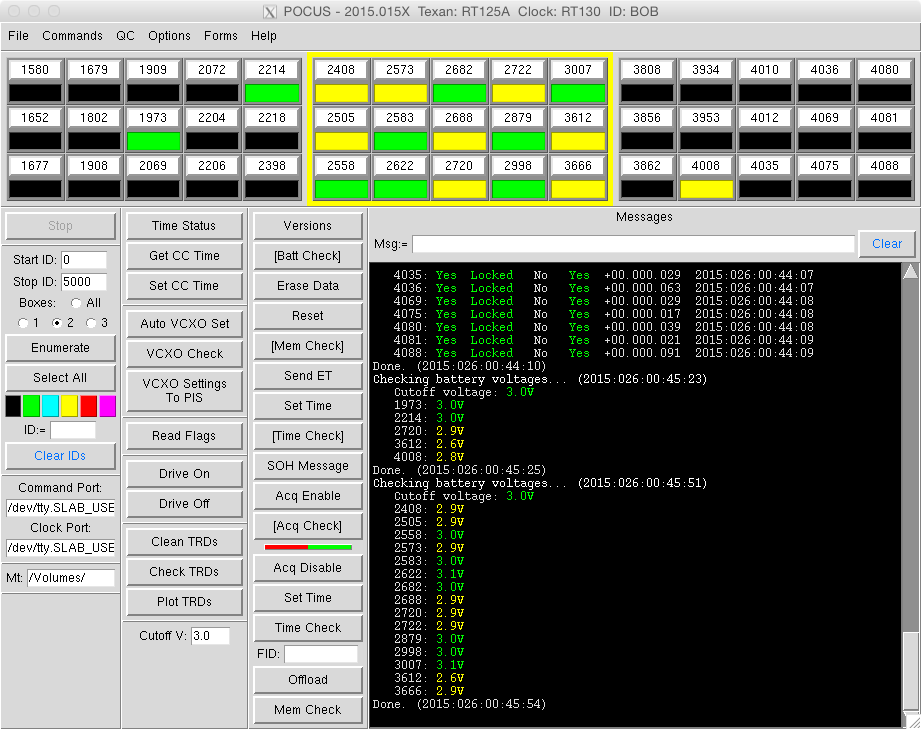
The serial number labels are actually buttons. If the button
background is white then that Texan will be used when a command is
executed. If the background is grey the the Texan will be skipped.
The program visually groups the Texans into three boxes to mimic the
transcases. However, in this case all of the transcases were connected
when enumeration was done, so the serial numbers are really just in
numerical order. Texan 1580 may be the Texan physically farthest away
from the computer, or it may be in the middle of all of the Texans.

Commands are executed by just pressing the button for the test or
operation to be done. Above each Texan is being asked for the voltage
of the two D-cell batteries in the Texan.
The status field below the serial number shows what is going on. When
the field is cyan (light blue) it means that that Texan is, or all of
the Texans are in some cases, working on the operation. Above 4010 is
the one the program is currently communicating with. The other
possible colors use common sense. Green is good or in range, yellow
is not quite right, red would be something is way out of spec. Magenta
indicates that something is wrong with, for example, communicating
with a Texan.
The colored buttons on the left are for selecting the Texans with
status fields that match the color of the button. This would be useful
for operations where a few Texans failed a test for some reason, like
a wire was loose, and left the status field red. After the wire was
fixed the red button could be clicked which would select just those
Texans, and the test could quickly be run again.
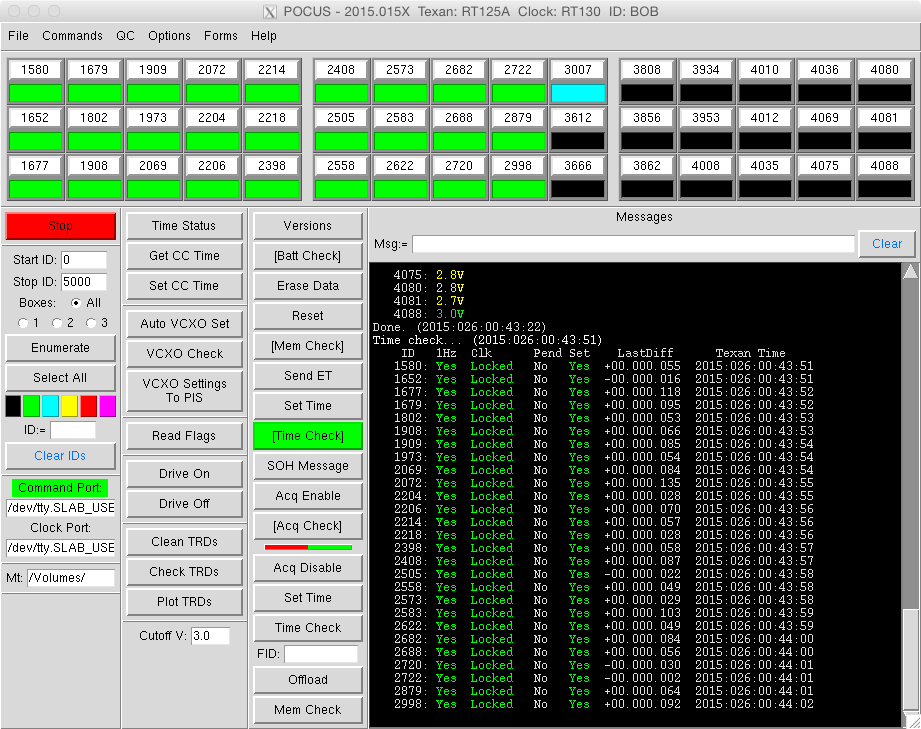
The command above is just running through and checking the timing
status of the Texans.
The arrangement of the stack of buttons on the right (Versions to Mem
Check) is important. There are 11 steps performed to program the
Texans. Those operations are performed in the order of the buttons
above the red/green line. If all of those steps are successful the
Texans are left ready to be disconnected from the transcase hubs and
be deployed.
Likewise, stopping the Texans and offloading data after they have been
recovered is done in 9 steps. Here we cheat a little. The steps are
again performed in the order of the buttons, but the buttons above the
red/green line with brackets ([Batt Check], [Mem Check]...) are
included and done first. Then the procedure continues with the Acq
Disable operation and the rest of the buttons below the red/green line.
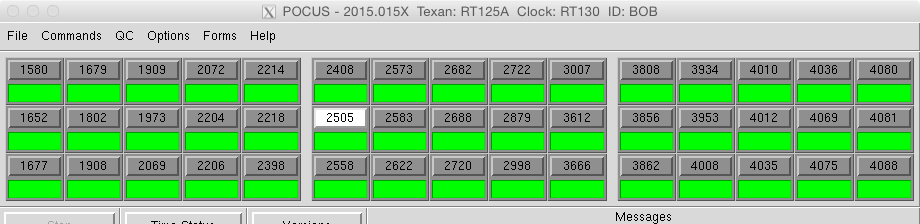

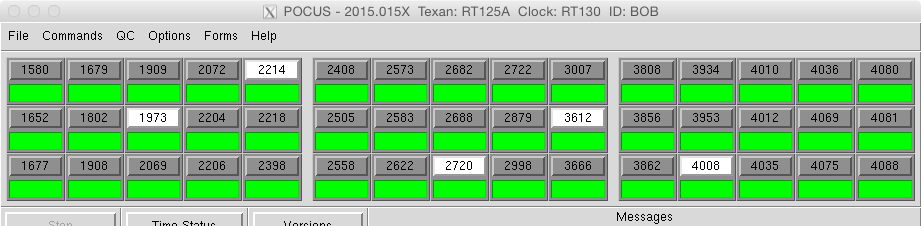
Above are ways the Texans can be selected. It roughly follows the way files are selected in Windows Explorer or macOS Finder. Clicking on one will select it and deselect the rest. Clicking on 2505 in the second example and shift-clicking on 2998 will select all Texans between them. The third example is clicking on one Texans that is wanted and then control-clicking on the other Texans that are wanted.
With a little help POCUS understands the concept of three separate
transcase boxes. If the serial line (Ethernet cable) for the hub in
the first case is the only one connected and the enumeration process
started just the Texans in that box will be found and they will be
placed in the box 1 slots. If the second box is connected, radio
button 2 above the Enumerate button is selected, and then enumeration
is done those additional Texans will be placed in the box 2
slots. Repeat for box 3. The found Texans in each box will still be
shown in numerical order, but if Texan 1580 is listed as being in box
1, then it really will be somewhere in transcase 1. At three in the
morning after a long day, enumerating this way can save a lot of time
when trying to locate a malfunctioning Texan among 45.
When this box-by-box enumeration method is finish selecting the All
radio button will go back to applying the commands to all of the
Texans. If just one box needs to be worked on just that box can be
selected with the radio buttons and operations will just affect those
Texans.
Several standard data QC functions are usually run on the offloaded TRD files right after they are offloaded.

First a little data lesson.
Texan TRD files are split up into 256 byte pages. At the beginning of
a page a code describes what that page contains. The choices are Data,
SOH (State Of Health), Event, Erased, and Bad. When the memory is
cleared all of the pages are set to Erased. Seismic data goes in the
Data pages. Text messages from the Texan firmware about timing,
internal PC board serial numbers, errors, etc. are in the SOH pages.
A copy of the event table a Texan followed will be in the Event
pages. A Texan writes to the internal memory and then checks to see
what happened. If there is a bad spot in memory it will be skipped and
the writing will be repeated. The pages associated with the bad spot
will still be offloaded but will be marked Bad.
The Clean TRDs function scans through the TRD files and identifies
files with bad pages. Normally this function is run in the Preview
mode. If there are no bad files post processing continues. But to
make all of the downstream processing software simpler this form
may be set to Do It mode and the bad files will be rewritten with
the bad and erased pages removed.
A lot of the extra forms in POCUS have a list of TRD files in the main
data directory or a different directory being pointed to by the form.
All of the files or any sub-set may be selected before running the
function associated with the form.


The Check TRDs form scans through offloaded TRD files and presents a summary of information about each file and a timing information summary for all of the scanned files.
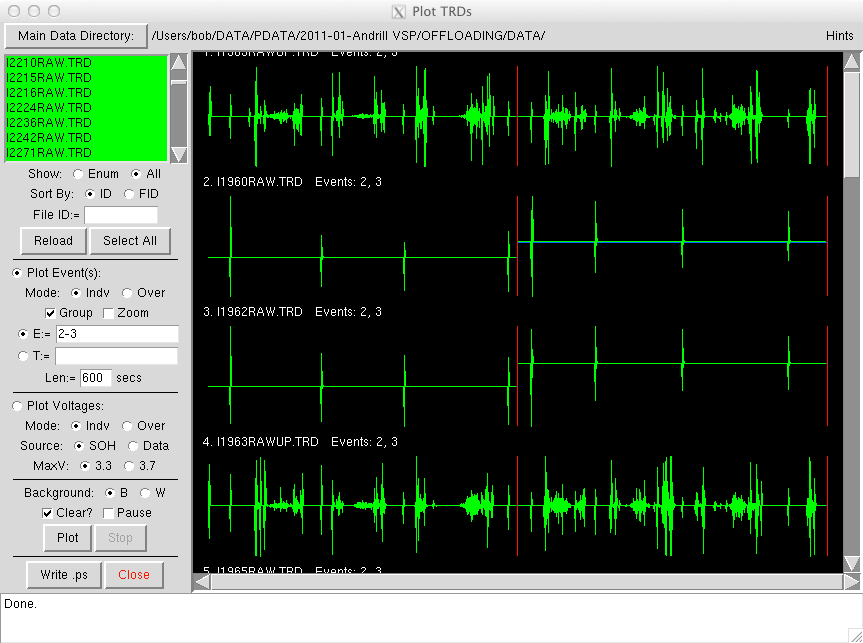


The Plot TRDs form above reads through offloaded TRD files and plots the seismic data or the battery voltage information. It's useful for quickly scanning through a group of Texans just offloaded looking for ones that may be 'eating' batteries or not had the sensor/geophone firmly connected.

The last of the mainstream QC functions is the Scan TRDs For Bad
Events form. From time to time events record badly. Instead of the
normal seismic noise the recorded signal is almost +/-8,000,000 counts
in amplitude for the whole event. This form was used to look for those
problems and try to track down why. The high values are because the
recorded three bytes per sample are shifted by one or two bytes making
the conversion math come out all wrong. It's like the first little bit
of data at the beginning of an event gets missed coming out of the A/D
converter. It is still a mystery as to whether it is a specific group
of A/D chips and/or a firmware problem. It's a fairly rare occurrence.
The Pick Sample Times From TRDs form described below can be used to
examine a bad event and shift the event's data by 0, 1 or 2 bytes. It
makes the data look pretty, but unfortunately it can't be used to
write out the corrected data.
Many times over the years up-hole Texans were passed out to shooting teams for placement near shot holes to try and get timing information for explosions. More than once the Texans were deployed, but no information about where the Texans were or when they were used for which shot was recorded. The Pick Sample Times From TRDs form was created to help pick the shot time needles out of the haystacks. Shown below is ten shots that occurred during the 30-minute long event 3.

Zooming in...

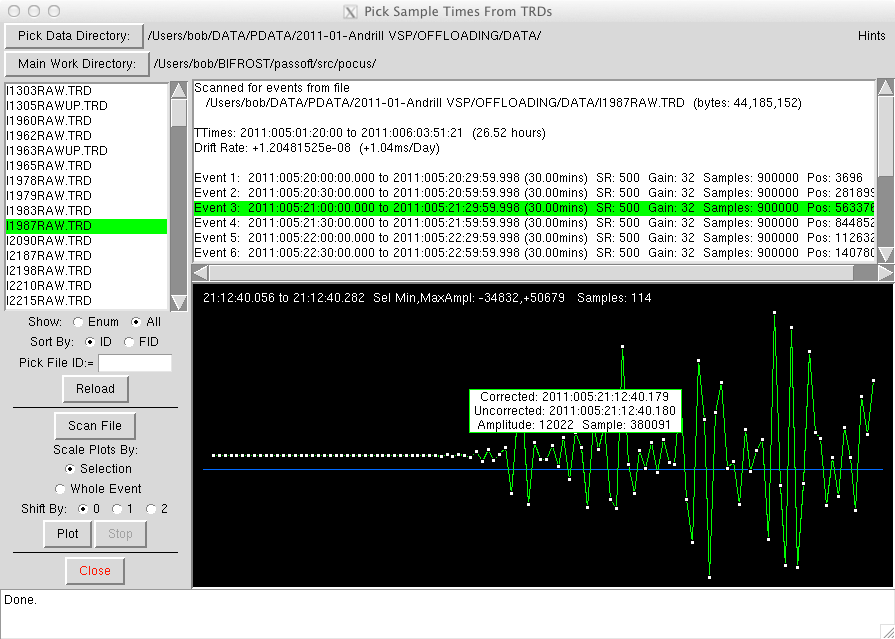
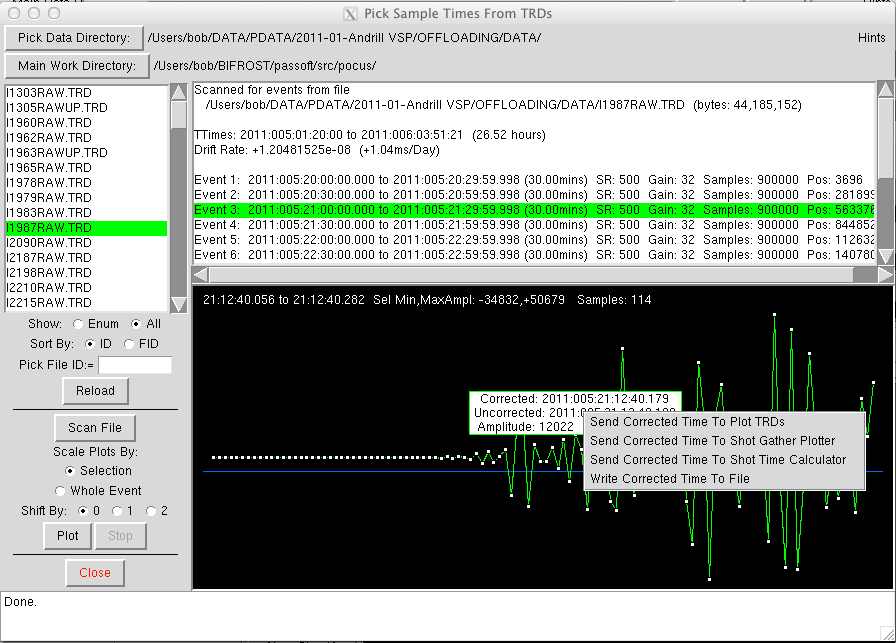
The TRD data from any Texan can be zoomed in on until the individual samples are displayed. The sample dots can be clicked on to obtain the uncorrected and corrected (for timing drift) time at that point. The time can also be sent to other plotting forms in the program or written to a file so a list of shot times can be created.
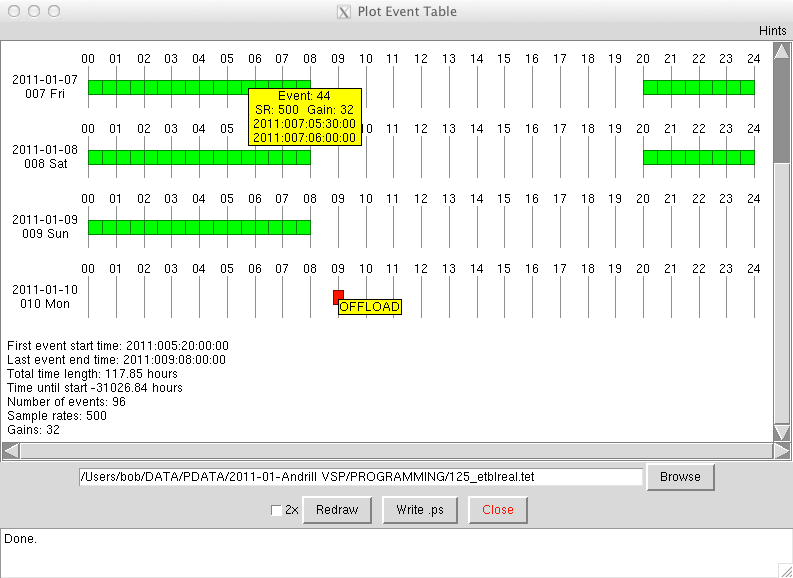
The event table created by the PETM program can be read and plotted in POCUS as it can in PETM. This is useful for making sure the right event table is about to be sent to the Texans.

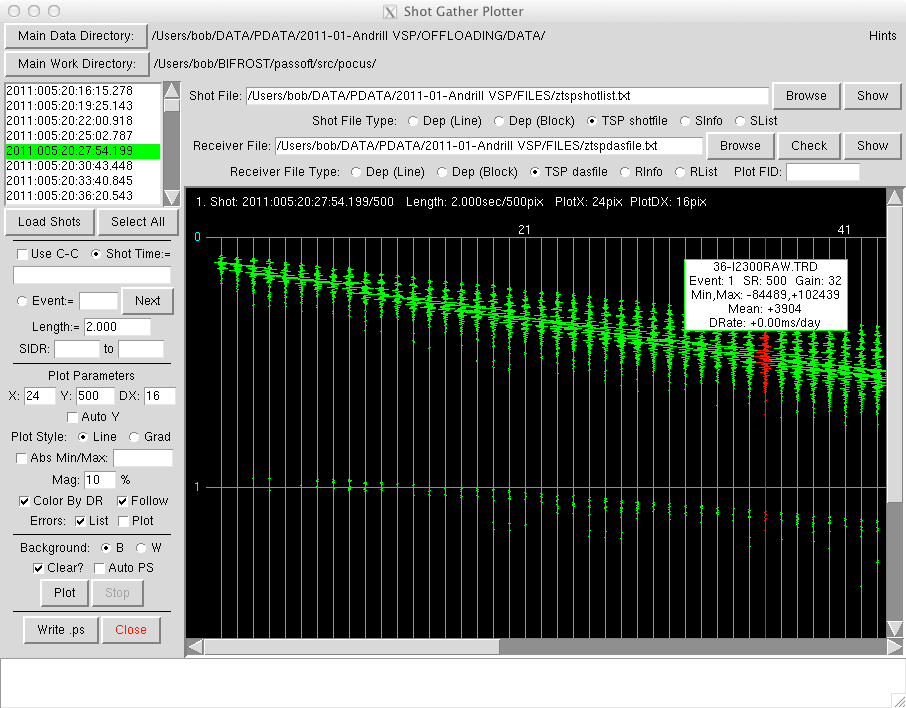
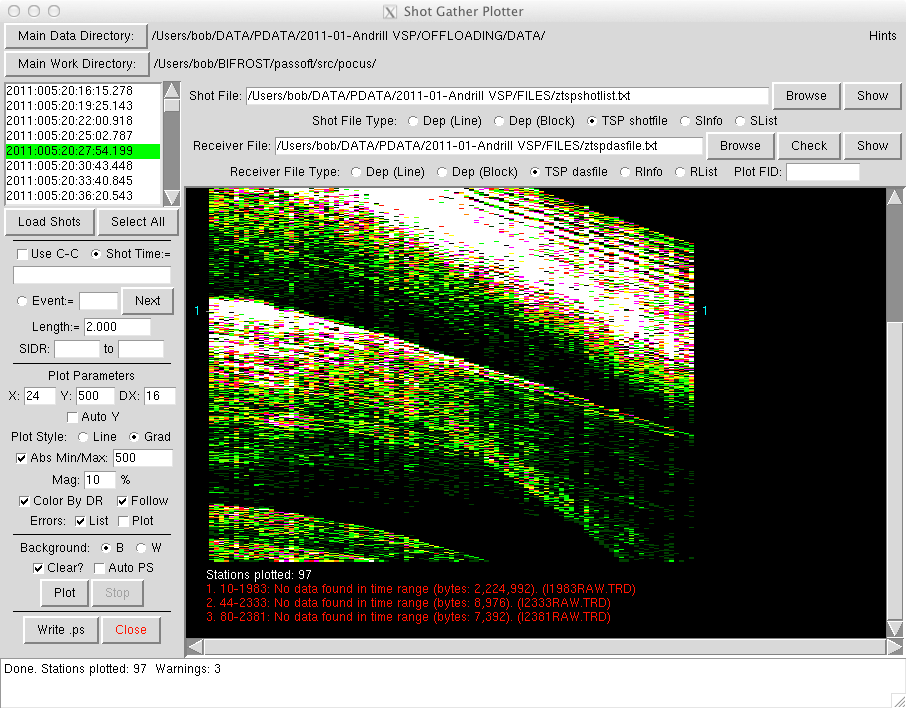
Shot "gathers" can be plotted by POCUS. Providing a file with one shot date/time per line, and another file with nothing more than one Texan serial number per line in the geographical order they were deployed will get the ball rolling. Various parameters can be tweaked to bring out details in the plots.
Over the years many different formats of files for describing when shots were set off, which Texan was deployed to which location and where that location was, where the shots were located, etc. were developed. Everyone had their own favorite. The Translator form is used to try and convert between one version and the other.

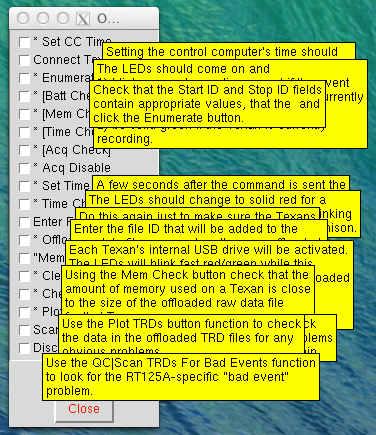
To help keep track of what is going on there is a Programming and Offloading Checklist that can be brought up from the Help menu. POCUS will check off some of the items as commands are executed, however it doesn't actually know if the commands were successful. It just knows that the commands were tried.

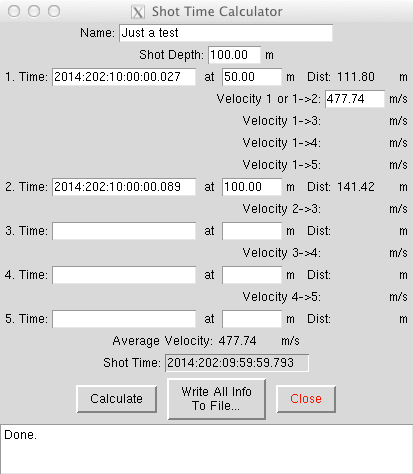
On the off chance explosion timing information, Texan placement, and shot location information is successfully obtained for the up-hole Texans the information about the times and distances can be entered into the Shot Time Calculator to get a better estimate of the actual time of the explosion.
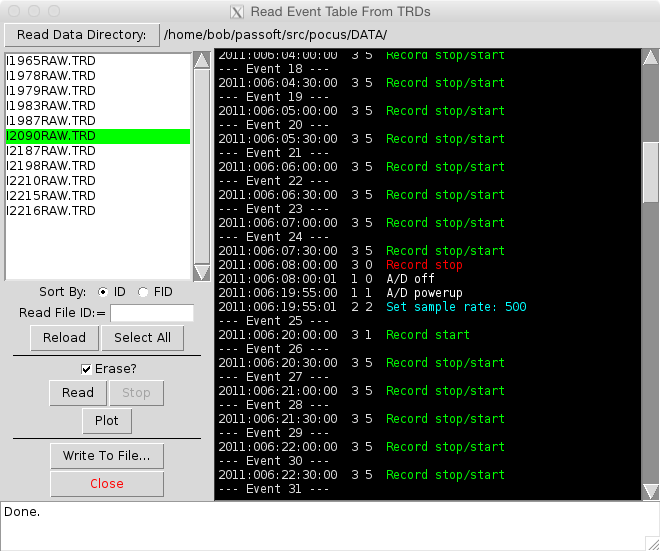
A copy of the event table set to a Texan is written to the TRD file.
The cleverly named Read Event Table From TRDs form can be used to
extract and decode the table.
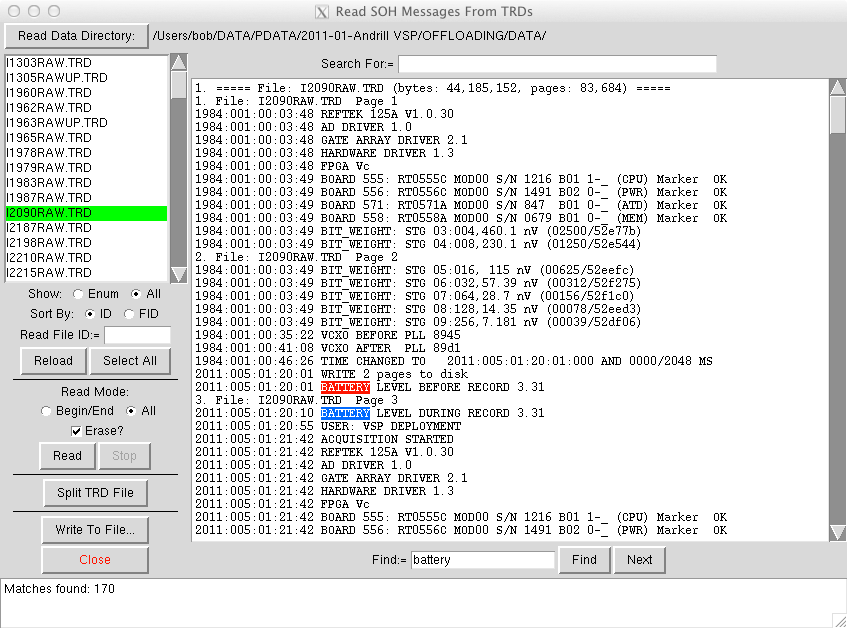
Texans talk quite a bit and record a lot of info in the State Of Health (SOH) pages of the TRD files. The Read SOH Messages From TRDs form will read the messages and make them presentable (the time stamps are binary in the files).
Plot Time Ranges Of TRDs form produces a graphical representation of what happened during a deployment.


It's easy to lose track of Texans during big experiments when there are thousands of them. Once "all" of the Texans are recovered and offloaded, and at least an initial list of deployment information showing which Texans were deployed is available the Count/Examine/Reconcile TRDs And A Receiver List form can be used to find out if all of the Texans really have been recovered and/or offloaded. It has come in handy a couple of times for finding Texans rolling around under the seats in deployment vehicles, or pointing out that a transcase or two sitting in the corner of the instrument center was lost in the shuffle and not offloaded.

On the Texan the data file is always named I<sernum>RAW.TRD.
Using the FID (File ID) field on the main display an additional
9-character word or phrase or whatever can be added to the TRD file
names as they are offloaded. For example, "DEP1" could be in
the FID field. All offloaded files would then be named
I<sernum>RAWDEP1.TRD. This could mean that all of these files
contained data from the first deployment of the experiment. Handy. The
form above can be used to change all of the DEP1 filenames to DEP2 if
you determine you made a mistake, which never happens.
In the Scan TRDs For Bad Events form picture above some of the TRD
files have, for example, "UP" in their name. That was the
usual designation given to data files from Texans that were used as
up-hole instruments. These are Texans programmed with the same
schedule as the rest of the Texans, but with high sample rates and a
low gain setting placed close to the shot holes to try and get a good
time of when the explosions were set off. Sometimes they survived the
explosion, and sometimes they were a little to close to the explosion.
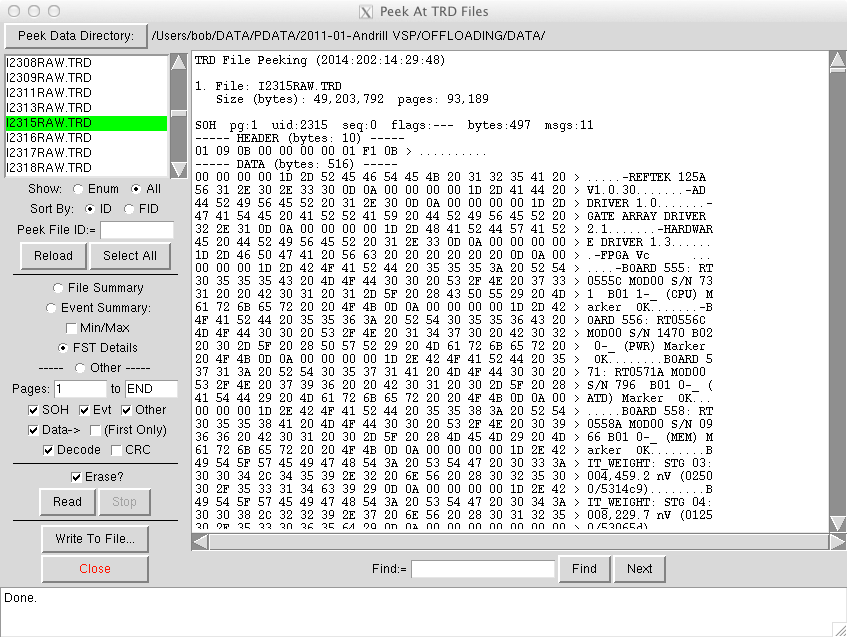
The Peek At TRD Files does just that and decodes all of the bytes for trouble shooting and writing software purposes.

Above the Archive TRDs form is used to copy TRD files from the From directory to an archive directory while adding the YYYYDOY (Year, Day of Year) when the Texan was timed to the file name. This makes it possible to keep all of the data files from multiple experiments in the same place. This is used to make a repository of data files that can be used to, for example, look for trends in the battery life of a Texan over the life of the Texan.

Long term (like 24 hours or more) monitoring of the Texan oscillators
can be done by POCUS. A specific frequency counter's input is
connected to connectors on up to three hubs. The counter has an RS323
output that with a special cable is connected to the GPS distribution
box, instead of the GPS receiver. The serial output is the measured
frequency reading in ASCII characters. When POCUS is told to begin the
test it goes through the enumerated Texans one by one and commands the
Texan to output the square wave coming from its oscillator to
connector on the hub and to the input of the frequency counter. The
signal is allowed time to settle, the counter frequency is read, the
Texan oscillator output is turned off, and POCUS writes the reading to
the Texan's TRD file as a comment. POCUS then goes on to the next
Texan. When they are all finished the process starts over with the
first Texan and continues until stopped.
After offloading the TRD files the Plot Oscillator Frequencies form is
used to read and plot all of the oscillator readings. The function to
monitor the oscillators was added after a bad truck accident in China
happened on one of the experiments. This was used to weed out Texans
that had damaged oscillators. Many of them would look OK during the
short VCXO Check built into the Texans, but this test would show them
being very unstable and failing if left overnight.
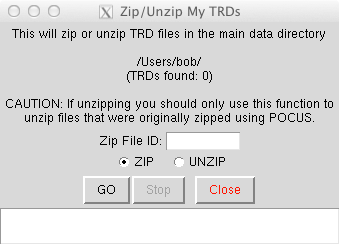
The Zip/Unzip My TRDs form was used to compress files a bit (about 30%) to make a bit of space on the control computers and workstations that were used for post-processing, but then the size of disks jumped up and it really wasn't needed anymore.
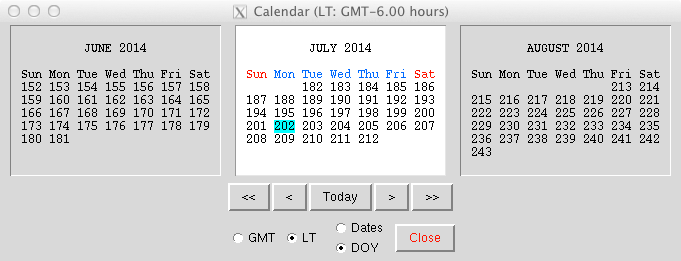
A built-in calendar which comes in handy since the dates are day of year numbers in the Texan Universe.
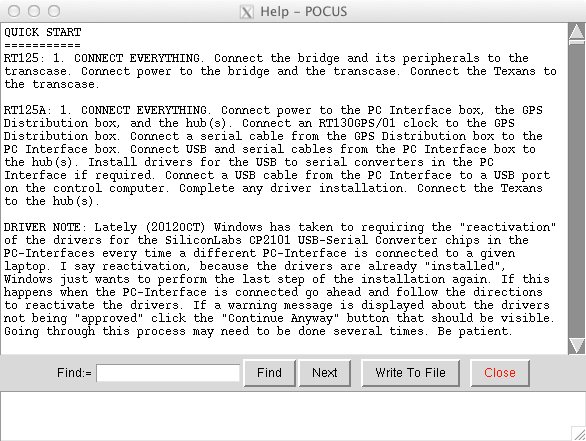
There is built-in help with a quick start section and then more detailed descriptions for all of the forms, fields and menu items. Guides for some of the testing and maintenance notes are also in there. It's about 3000 lines long.

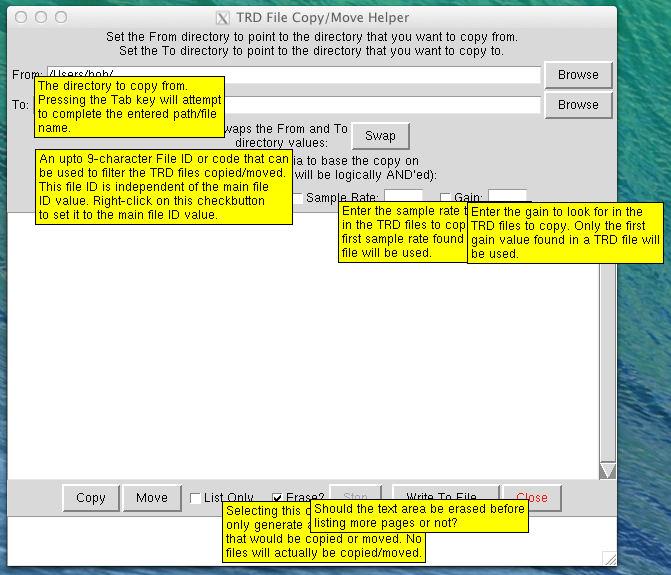
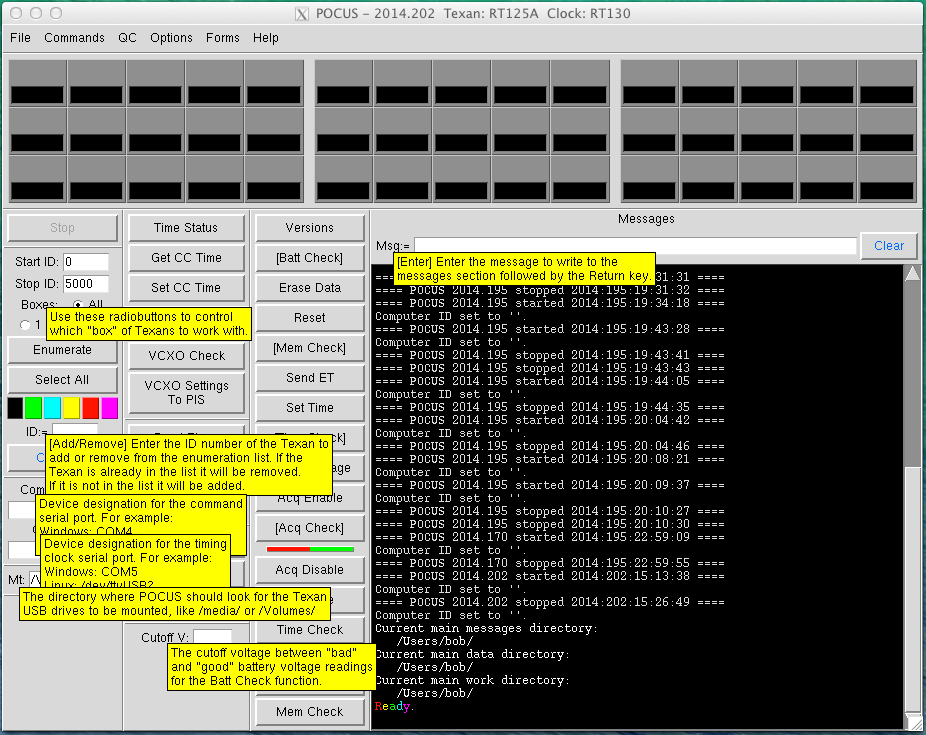
The usual flood of tooltips can be called up by hovering the mouse pointer over fields and buttons and labels.


2023-03-16