
The EarthScope Primary Instrument Center (EPIC...it wasn't my idea),
formerly known as the PASSCAL Instrument Center, in Socorro, has
several GNSS re-transmitters. They are spread out around the building
in the major equipment labs and pier rooms. Three of the current five
are on top of shelves, the one in the cold room hangs down in front of
the cold chamber window, and one is nicely mounted on the wall.
The software side of the system uses two parts that have been in
operation since 2020, gpsview.py and gpsnmea.py. Those can be read
about here. One extra bit was written to
turn everything into a "system".
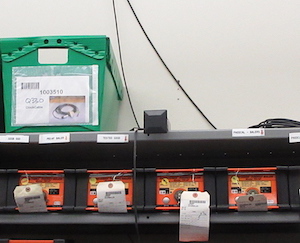
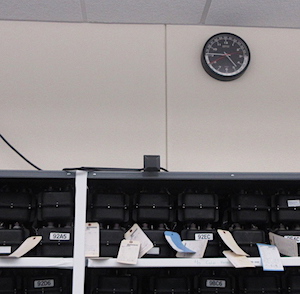
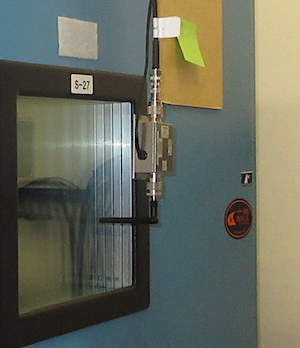
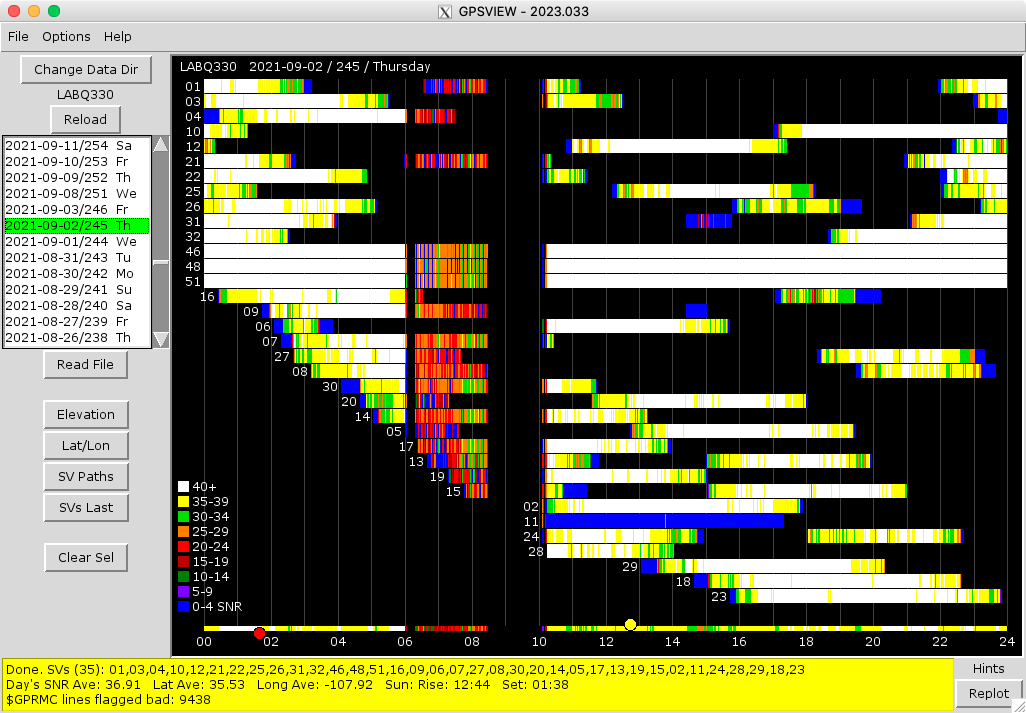
Most of the time the re-transmitters are just fine and instruments being tested have no problem receiving the signals. Re-transmitters failing, lightning strikes causing antenna and downstream equipment failures, and GPS system testing at nearby White Sands Missile Range (WSMR) can cause the instruments to fail to get GPS locks. Before the programs gpsview.py and gpsnmea.py were written and started use in 2020 it was sometimes a mystery as to why GPS locking was failing. Afterwards it was pretty clear when someplace like WSMR was messing with us as can be seen below.
The original idea I had for the system was to try and place a G-MOUSE
GPS receiver in each lab to monitor the re-transmitters all connected
to a computer somewhere in the building to act as a central server.
The GPSRs are communicated with and powered by USB. The problem was
the distances. Cables with USB amplifiers could have been used, but it
may have taken several chained together for some of the lines.
Converters that go from USB to Ethernet and back to USB were tried.
They just were not very reliable, and placement of the server could
have even made using Ethernet cables a problem. Then there was running
the wires from point A to point B through walls and ceilings. After
getting one monitoring system running in one lab using the computer in
that lab the project stalled for a while so I could think about it.
Since linking the remote GPSRs to a central server with wires was going to
be problematic I decided to make the remote locations a bit smarter beyond
just the G-MICE and go wireless. In January 2023, I grabbed my small collection
of personal Raspberry Pi computers, the same G-MOUSE units I had been playing
with for the last couple years, an old 2011 Mac mini from work that I saved
from the chopping block, and went to town.
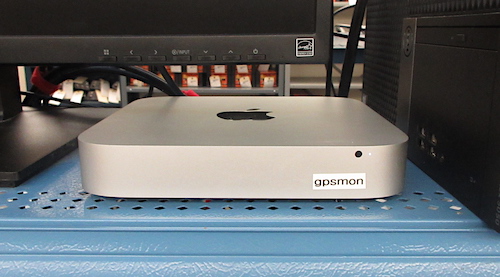
The GPS Monitoring System server.
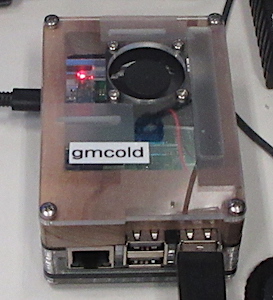
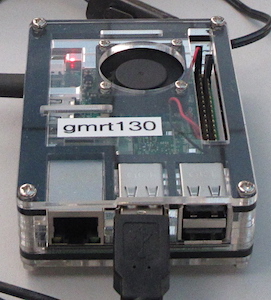
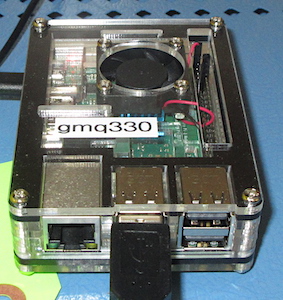
The servettes.
Hardware-wise the whole system ended up only being (to get started) seven
pieces of equipment. Three G-MICE, three RPi 3B+ computers, and the Mac mini.
To eliminate the communication wires I decided to use the office wireless
network that is reachable all over the building and warehouse. With everyone
connected to the same network the DHCP-assigned addresses could be ignored
and addresses like gmq330.local could be used.
All of the RPi computers were loaded with Ubuntu Server Linux. The added stuff
that comes with the standard install package was whittled down to just what
was needed (it's almost worse than getting a new Windows computer) and a couple
of tidbits were added.
The Python program gpsnmea.py, which had been running in one of the
labs for a couple years, was modified just a little to get it's
startup parameters from an initialization file, and installed on each
RPi. A cron job was created to start GPSNMEA on reboot, the G_MOUSE
was connected, and each RPi powered up. It only took a couple of days
to get them all running. At this point nothing else was needed for
the data-collection end of the system. The RPi's would happily run
until their 32GB micro-SD cards filled up.
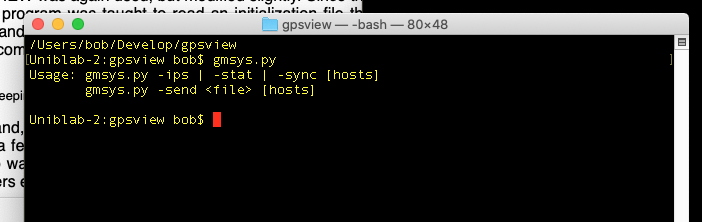
The piece needed to glue everything together and make a system was the
program gmsys.py. This is a command line Python program that is run on
the server GPSMON. It is used interactively and via a cron job
depending on what you are trying to do. The system server was loaded
with Ubuntu Desktop Linux.
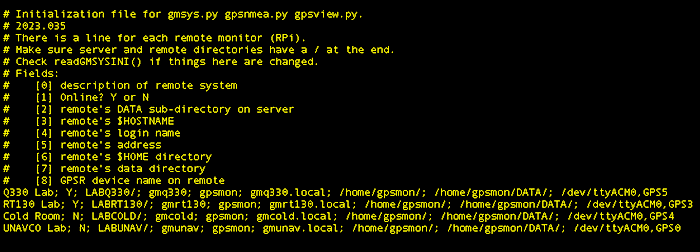
gmsys.py reads the file gmsys.ini (below) when started, which is the same file
read by gpsview.py, and even gpsnmea.py running on the remote RPi's. It contains
a description of the whole system and everyone gets the same copy. There is
a companion Python function that can be dropped into an application for reading
the file and stuffing the information into a List of Lists for the application
to use however it wishes.
gmsys.py talks to the remote monitors using ssh and scp commands. The monitors
have the public key for the server, so logging in does not require a password.
Through ssh the status of the monitor and things like IP addresses may be
requested.
Using scp is what makes the system tick. A cron job is set up on
GPSMON which executes gmsys.py with the -sync command line
argument. This causes gmsys.py to contact each remote system, get a
list of .dat day files of NMEA sentences, get a list of the same files
on the server, compare, and and then download any files that are
different in size, or that don't exist on the server. Normally the
only one that should change is the current day file. Yesterday's .dat
file and the gpsnmea.py file will also be different sizes from a
previous run if the program is running for the first time after UT
midnight. The cron job is set to run every hour at one minute past.
The -sync command is also set up to remove .dat files when the number
of them on the remote monitors is more than 60. This keeps from
filling the micro-SD card.
gmsys.py can also be used to copy files to the remote systems to, for
example, push updates to gpsnmea.py out to the remote monitors. More
commands will undoubtedly be added as time goes on.
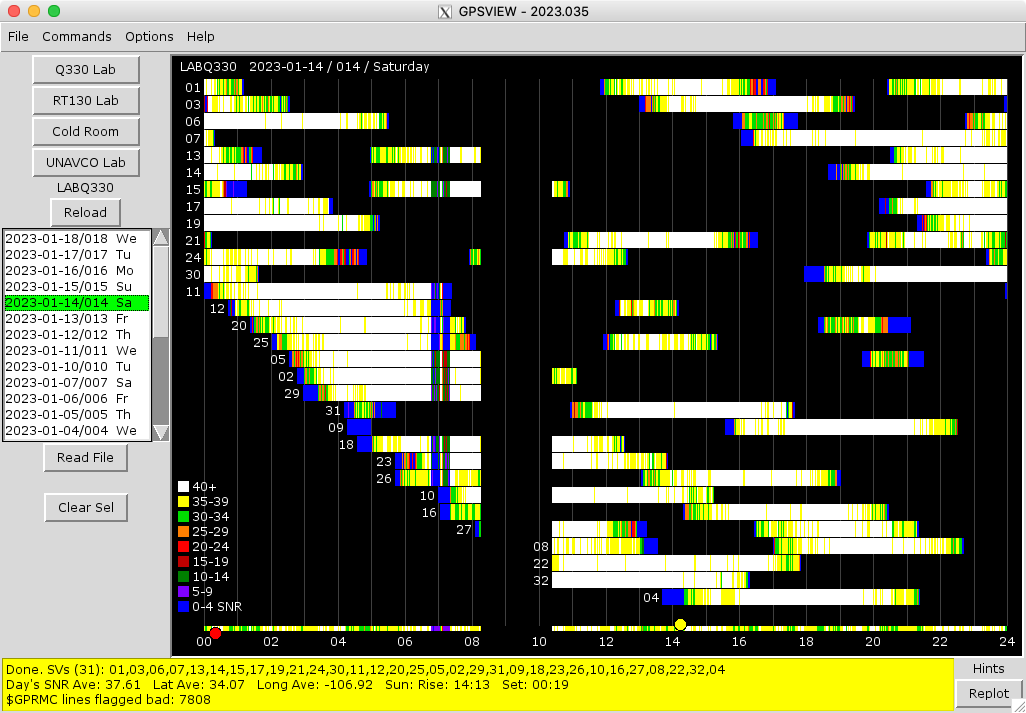
To make viewing the system's data more pleasant gpsview.py was again used, but
modified slightly. Since the three (probably at least four some day) remote
monitors were known the program was taught to read an initialization file
that told the program how many monitors there were, what their names were
and where data from each monitor would be collected to on the server. Invoking
this mode of running gpsview.py is done with a command line switch. Selecting
which monitor to look at is done using individual buttons, instead of having
to navigate to change directories.
gpsview.py for the system is accessed by ssh'ing into the gpsview
account on the server with X11 handing the GUI part. Xming is needed
on Windows, Xquartz on macOS, and nothing special on Linux for the
gpsview.py GUI to show up.
The system has been up and running for about a week. Some more trimming of the
Ubuntu extras on all of the computers is still needed, but everything has been
pretty smoothly.
It only took about one week to get everything running. After wires not being
the solution was decided I didn't want things to get too complicated. Using
the Raspberry Pi's, and being able to set them all up the same kept it from
becoming that way.
2023-02-05